§01The quantitative operating system
Every instrumentyour desk needs.None of them bought.
A desktop app for building trading systems. Describe the strategy, the broker connection or the research tool, and an AI agent writes it as code in your project — on your hardware, under your keys, as source you keep.
backtest RSI mean reversion on SPY and list every assumption
macOS · Windows · Linux · 40,000 traders and developers
Illustrative QuantIDE workspace. An agent writes an adapter, registers an MCP server and streams raw market data through the runner into Canvas. Processes remain supervised.
Engine · agent
ready- ✓reading API docsok
- ✓writing adapterok
- ✓registering 41 toolsok
MCP servers
56 tools- polygon9UP
- fs6UP
- deribit41UP
Canvas
stream attached| UTC | O | H | L | C | V |
|---|---|---|---|---|---|
| 09:37 | 67420.35 | 67420.67 | 67420.11 | 67420.51 | 9.7K |
| 09:38 | 67420.21 | 67420.53 | 67419.97 | 67420.09 | 15.3K |
| 09:39 | 67420.49 | 67420.81 | 67420.25 | 67420.65 | 18.4K |
| 09:40 | 67420.16 | 67420.48 | 67419.92 | 67420.04 | 12.1K |
Stack
localquant-research
starter tree / forked
- MCP servers
- 3
- skills
- 1
- runner
- ready
Runner · stdio
local$ quantide --mcp-runner
› tools/list · 56 registered
› run → spread.py
✓ dataset → Canvas
Processes
supervised§02Reach
Name it and it exists.
A connection, an application, a surface, a monitor. Described in a sentence and written into your repository as source you own, running from the moment it is written. Nothing is deployed. Nothing is requested. Nothing is waited for.
connect the FIX gateway my broker gave me
Connection
src/adapters/fix_session.py
a position sizer I can keep open while I research
Application
apps/position-sizer
chart the spread between these two feeds, live
Surface
canvas/spread.view
tell me when the overnight job stops writing rows
Monitor
watch/rowcount.py
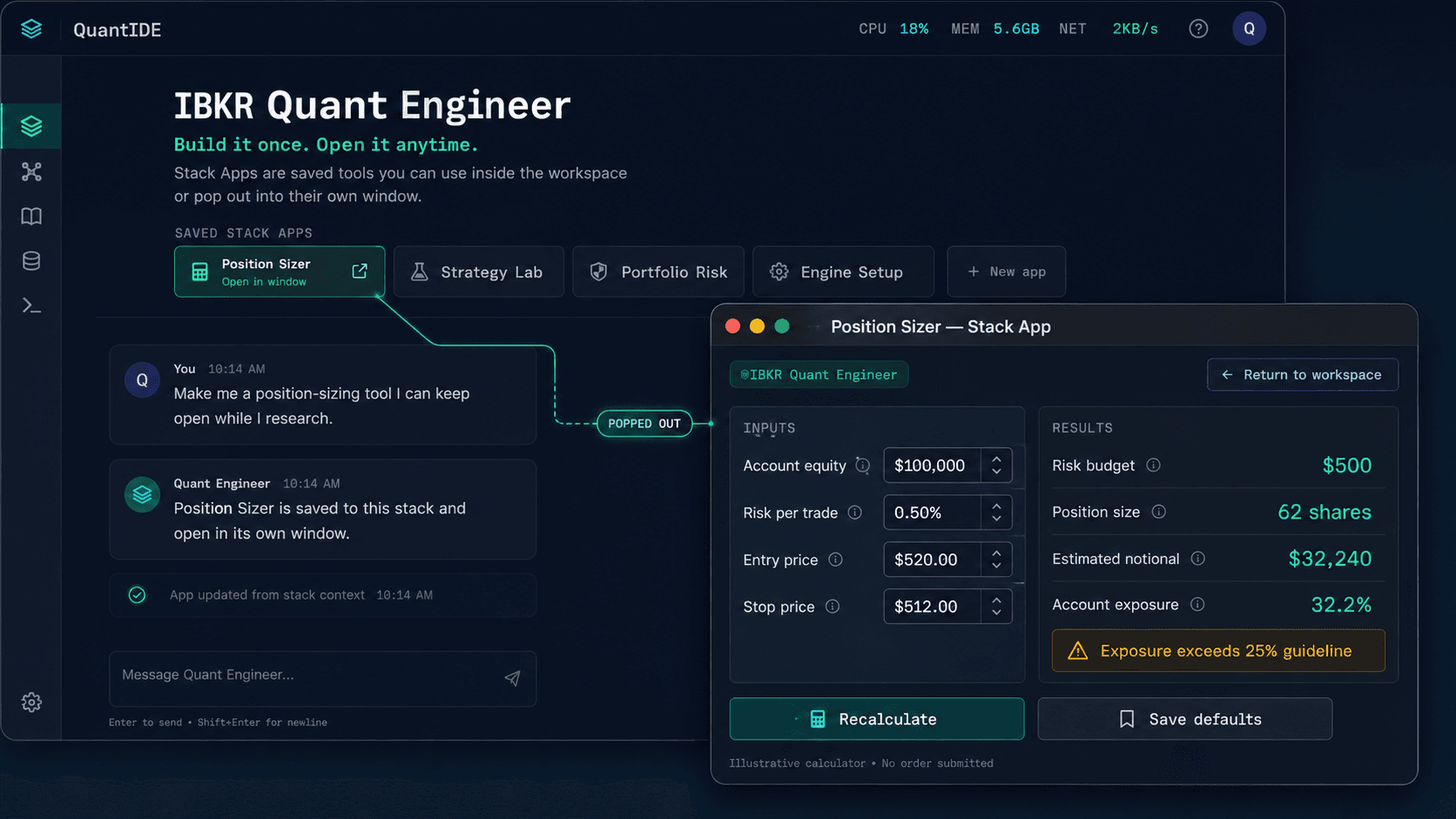
Four of an unbounded set. The only requirement anything has ever had here is an interface to speak to — which is why the machine gets larger every time you use it, and why nobody else can tell you what it is capable of.
§03Composition
A kernel, a shell, a driver model and a standard library.
It runs on your hardware, it takes instruction in language, it binds in anything with an API, and it carries applications you can install, fork and publish. Everything below ships today.
Kernel
Workstation
Editor, terminals, git and a file tree, running locally. Processes keep running after you close the window.
OpenShell
Agent
Drive the machine in plain language. Model-agnostic: the engine is a slot, and what fills it is your choice.
OpenDisplay
Canvas
Results render beside the conversation — charts, tables, stat grids, reports. Print any of it to PDF.
OpenDrivers
MCP
The reason there is no supported-broker list. Anything with an API becomes a tool the agent can call.
OpenApplications
Stacks
Workspaces bundling skills, MCP servers and a starter app. Install one, fork it, gut it, make it yours.
OpenStandard library
Research SDK
The standard library for research: fetch, align, indicators, backtest, report. Delivered by the Quant Research stack.
Open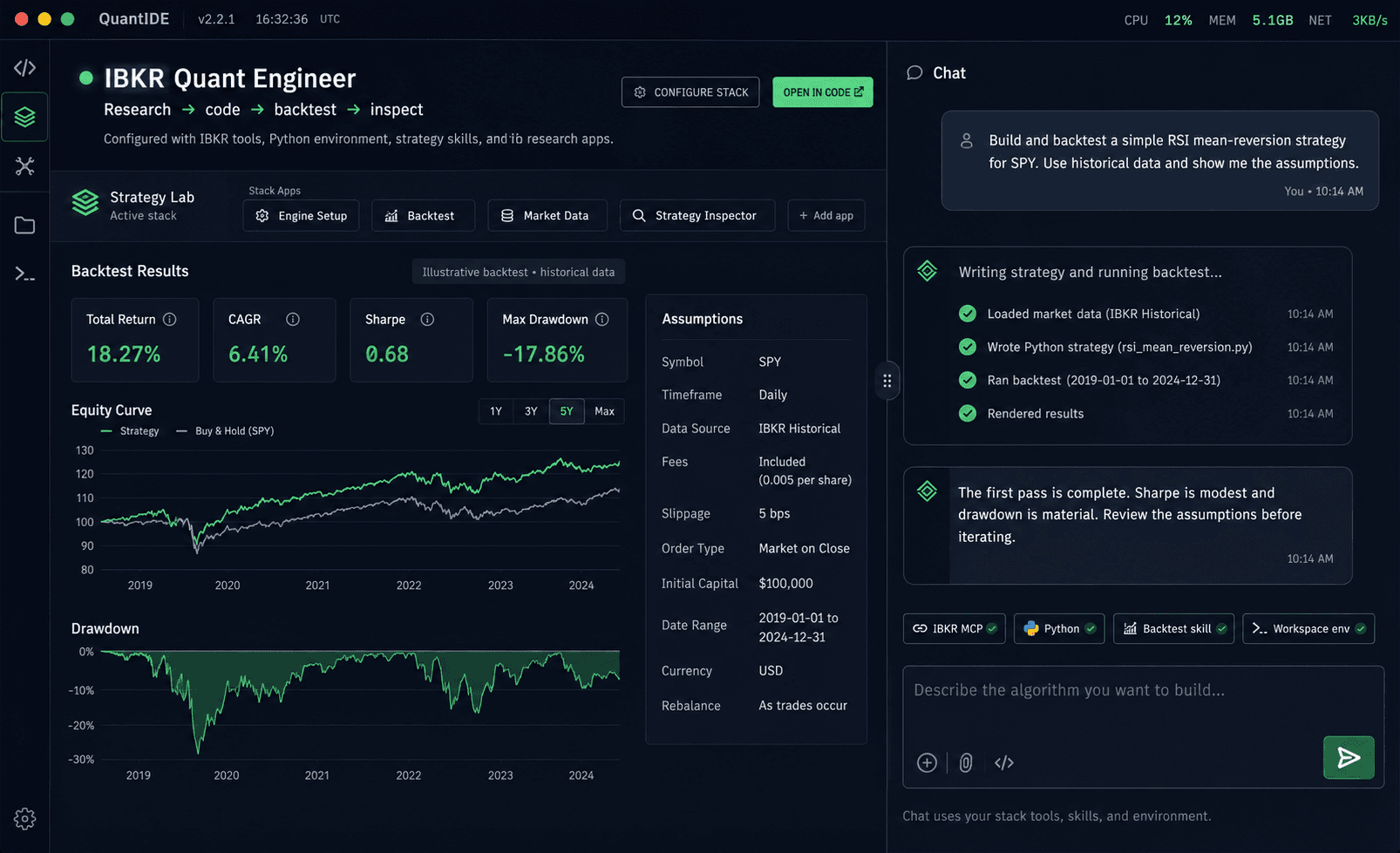
§04Communication
Send a message.
Or send the machine.
Rooms and direct messages, inside the workspace, against the identity you already work under. There is no rank ladder, no leaderboard and nothing to earn — the only status here is what you have built.
- Rooms
- Open, by subject, against the identity you work under
- Direct
- One transcript, one socket, shared with rooms
- Transfer
- A stack arrives in a message and installs in one step
What travels between desks is not a description of the work. It is the work.
Send someone a stack and they receive the servers, the skills, the applications and the starter tree exactly as you have them, running on their machine in a single step. Your credentials never travel with it.
40,000 traders and developers · reachable from inside the workspace
§05Before you install
Five things to know first.
What it needs from you, what to do with it on day one, and what it costs. Said here so none of it is a surprise inside the app.
01What do I need before I install?
A trading idea you can state precisely: the entry, the exit, the sizing and the loss you refuse to take. And Python 3 on your machine. Research runs on your own Python with vectorbt and quantstats; the agent checks for them first and offers to install what is missing. You do not have to write the code. You do have to read it, because arguing with it is the skill this builds.
02What should I do in the first ten minutes?
Open the Quant Research stack, which ships in the box, and describe one strategy in a sentence. The agent restates it as testable rules, writes a single Python script into your project, backtests it on historical data and puts the result on the canvas with every assumption listed. Then change one rule and run it again. That loop, not the first result, is the product.
03What does it cost?
The download is free, and so are the editor, terminals, git, stacks and the free marketplace. It includes a free sample of Quantide AI, the engine that does the writing, so you can judge it on real work before paying anything. Paid plans (Quant $49/month, Academy $199/month) include the hosted AI engine with a monthly budget.
04Will it work with my broker, and does it trade live?
There is no supported-broker list to be missing from: name the venue and the agent writes the adapter against its API, in your project, with your keys on your machine. Nothing trades live out of the box. Order routing is something you build and test yourself before it touches real money.
05Is my strategy private?
Your projects, credentials and strategy code are files on your disk, and nothing is uploaded to run them. The only thing that talks to a server is the AI engine. Credentials are never included when you share or publish a stack.
§06 Take delivery
The apparatus is assembled.
Take delivery of it.
Forty thousand traders and developers are already here.